Synchronous vs Asynchronous JavaScript

When you write JavaScript, it's not always run the way you see them written. Some code executes immediately, while other parts wait… and that’s where synchronous vs asynchronous comes in.
Synchronous :- One task at a time (Wait for for complete execution)
Asynchronous :- Start task (if taking time) -> move on -> come again later
What synchronous code means
Synchronous code execute line by line, one after another.
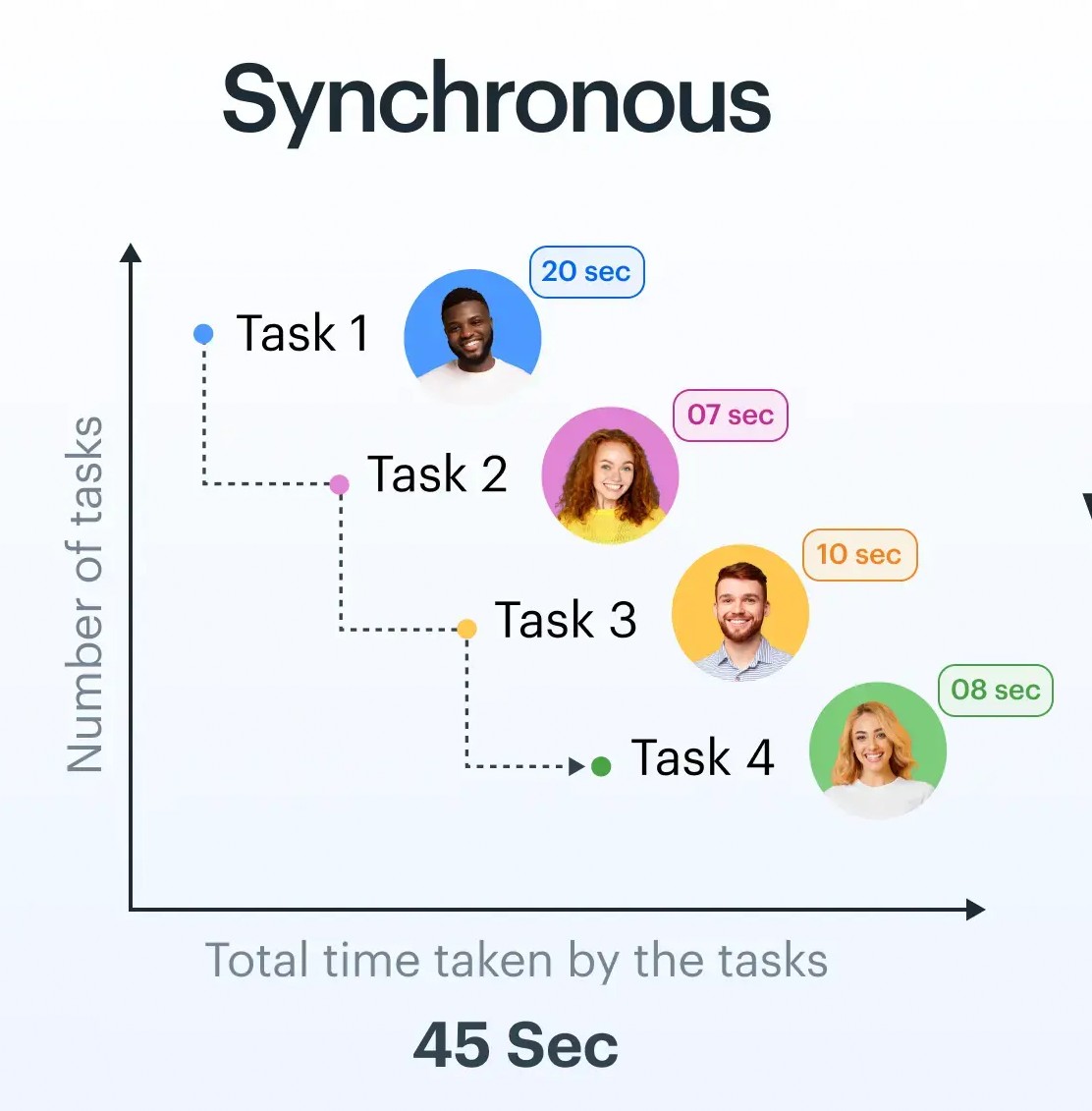
Each line must finished before the next start.
Example
console.log("Start");

console.log("Middle");

console.log("End");
Output ->
Start
Middle
End
Here,
JavaScript execute the code top to down by line
Each task block the next one
Problem Example
function slowTask() {
  const start = Date.now();
  while (Date.now() - start < 3000) {} // 3 sec delay
}

console.log("Start");
slowTask();
console.log("End");
output ->
Start
(wait 3 seconds)
End
Here, everything are freeze until slowTask() finished execution.
What asynchronous code means
Asynchronous code allows to jump next code while one is going on and taking too much time.
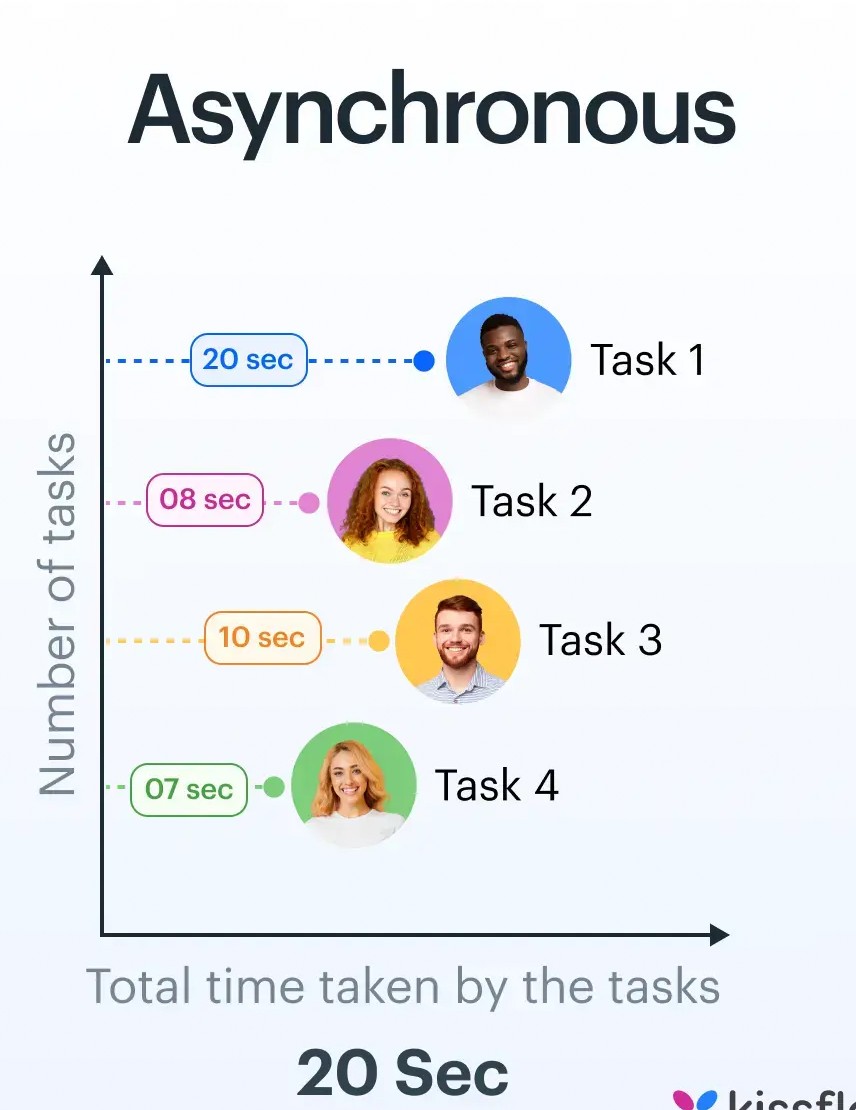
Without waiting anyone's task complete, next one run and return when previous is finished (time saving process).
Example
console.log("Start");

setTimeout(() => {
  console.log("Inside Timeout");
}, 2000);

console.log("End");
output ->
Start
End
Inside Timeout
Here,
setTimeoutis handled outside the main threadIt's goes into task queue
JavaScript execute another code
Later execute callback task
Why JavaScript needs asynchronous behavior
We know JavaScript is a single threaded.
It's can do only one thing at a time
But in real word apps need handle
to API request
Timers
File upload
const data = fetch("https://api.com/data"); // imagine blocking
console.log(data);
Here, UI will be wait for data comes... User will be badly interrupt.
Blocking vs Non-Blocking
| Type | Behavior | Example |
|---|---|---|
| Blocking | Waits until task finishes | Loops, heavy calc |
| Non-blocking | Moves ahead, handles later | API calls, timers |
Understand with real-life example
Food ordering
Synchronous : order placed -> waiting -> get food -> next task
Asynchronous : order placed -> go site (another task) -> food arrive later
Asynchronous task queue concept
Core Components of Async
Call Stack → Executes code
Web APIs → Handle async tasks (timer, fetch)
Callback Queue → Stores completed tasks
Event Loop → Moves tasks back to stack
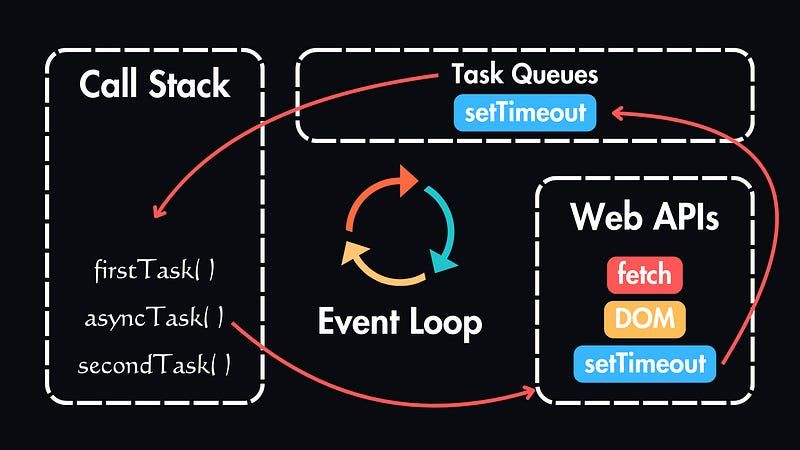
Every Asynchronous code arrive in call stack then Web APIs get the task after completed the task it's move to task queue and again Event Loop push it's in stack.
Synchronous vs Asynchronous
| Synchronous (Time taking) | Asynchronous (Time saver) |
|---|---|
| Line-by-line | Parallel-like behavior |
| Blocking | Non-blocking |
| Simple | Efficient |
| Can freeze app | Keeps app responsive |
So, we need to use Async for Smooth UI, Efficient execution, Handles multiple tasks. Must use in modern apps.
Thank You!!!


