Understanding Object-Oriented Programming in JavaScript

Introduction
Object-Oriented Programming (OOP) is one of the most widely used programming styles. It helps developers organize code into objects, making programs easier to build, understand, and maintain.
In JavaScript, OOP allows us to create reusable structures using classes and objects.
Let’s explore the core ideas step by step.
What Object-Oriented Programming (OOP) Means
Object-Oriented Programming is a programming approach where we organize code around objects rather than just functions.
An object is a bundle of:
Properties → data
Methods → actions/behaviors
Example
const car = {
  brand: "Toyota",
  start() {
    console.log("Car started");
  }
};
Here:
brand→ propertystart()→ method
Instead of writing separate variables and functions everywhere, OOP groups related things together inside objects.
Real-World Analogy: Blueprint → Objects
To understand OOP easily, imagine a car factory.
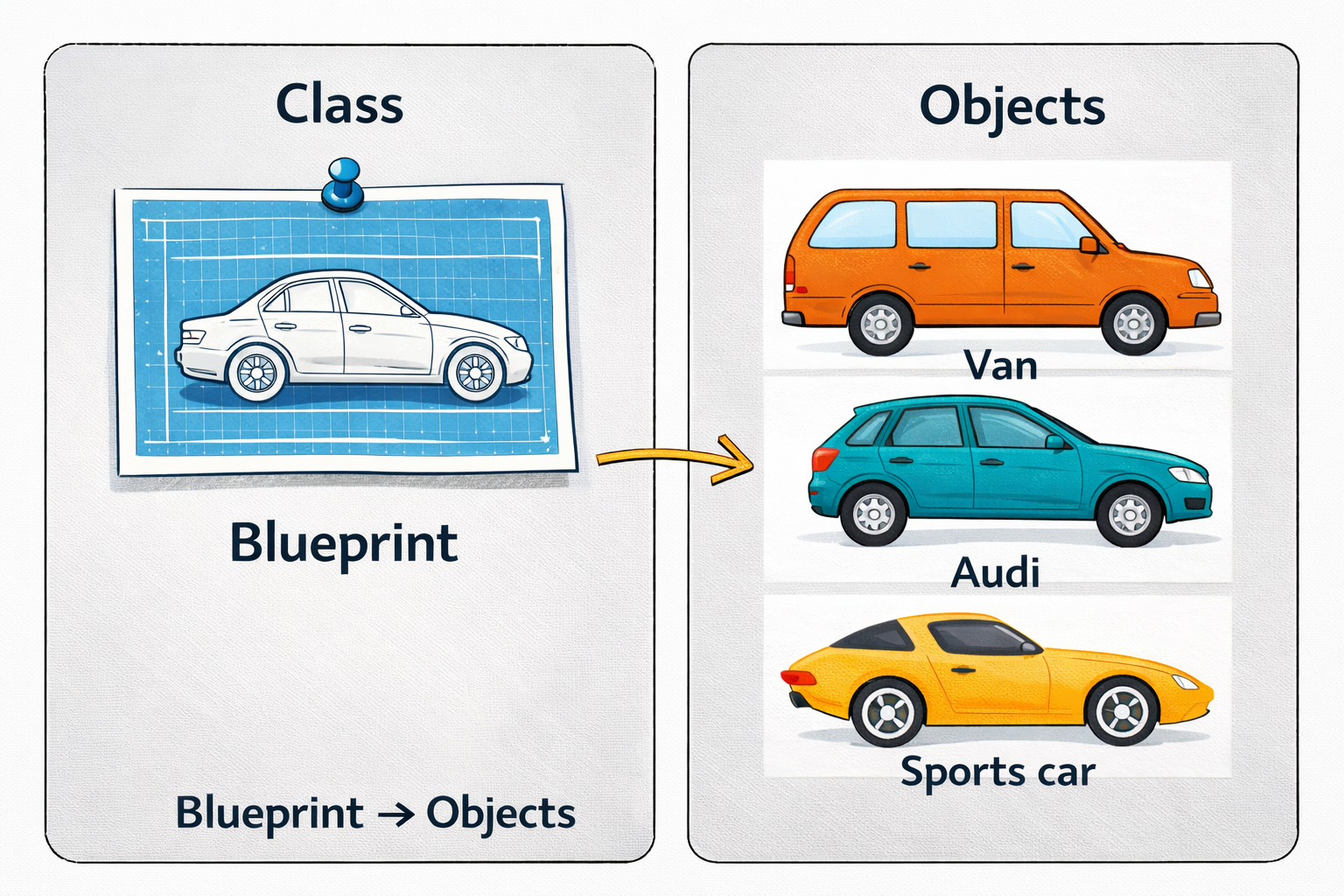
A blueprint defines how a car should be built.
From that blueprint, the factory can create many cars.
In programming:
| Real World | Programming |
|---|---|
| Blueprint | Class |
| Car | Object |
| Building a car | Creating an instance |
So a class is a blueprint, and objects are the actual things created from that blueprint.
What is a Class in JavaScript
A class defines the structure for creating objects.
It describes:
what properties objects will have
what methods they can use
Example
class Car {
  brand = "Toyota";

  start() {
    console.log("Car started");
  }
}
Here:
Caris a classIt defines a property
brandIt defines a method
start()
But this alone doesn't create a car yet.
Creating Objects Using Classes
To create an object from a class, we use the new keyword.
Example
class Car {
  brand = "Toyota";

  start() {
    console.log("Car started");
  }
}

const car1 = new Car();
const car2 = new Car();

car1.start(); // output -> Car started
Here:
car1andcar2are objectsBoth are created from the same class
This is why classes are powerful:
One blueprint → many objects.
Constructor Method
A constructor is a special method that runs automatically when an object is created.
It is usually used to initialize properties.
Example
class Car {
  constructor(brand, model) {
    this.brand = brand;
    this.model = model;
  }
}

const car1 = new Car("Toyota", "Camry");
const car2 = new Car("Honda", "Civic");

console.log(car1.brand);
console.log(car2.model);
Here:
constructor()receives valuesthisrefers to the current object
So each object can store different data.
Methods Inside a Class
Methods define actions an object can perform.
Example
class Person {
  constructor(name) {
    this.name = name;
  }

  greet() {
    console.log("Hello, my name is " + this.name);
  }
}

const person1 = new Person("Janardan");
person1.greet(); // output -> Hello, my name is Janardan
So:
name→ propertygreet()→ method
Objects combine data + behavior.
Basic Idea of Encapsulation
Encapsulation means keeping related data and methods together inside a class.
Instead of writing separate code everywhere
Without Structure
let name = "Jana";

function greet() {
  console.log("Hello " + name);
}
Using encapsulation
class Person {
  constructor(name) {
    this.name = name;
  }

  greet() {
    console.log("Hello " + this.name);
  }
}

// call greet method of person object
const person = new Person("Jana");
person.greet(); // Output: Hello Jana
Now everything related to a Person is inside the class.
Benefits:
Code becomes organized
Easier to maintain
Improves reusability
Assignment
Create a Student class with properties and methods.
Requirements
Properties:
name,ageMethod: print student details
Create multiple students
Example
class Student {
  constructor(name, age) {
    this.name = name;
    this.age = age;
  }

  printDetails() {
    console.log("Name: " + this.name + ", Age: " + this.age);
  }
}

const student1 = new Student("Rahul", 20);
const student2 = new Student("Karan Ajula", 22);
const student3 = new Student("Anita", 19);

student1.printDetails(); // Name: Rahul, Age: 20
student2.printDetails(); // Name: Karan Ajula, Age: 22
student3.printDetails(); // Name: Anita, Age: 19
There we see an OOP is a organized code using objects, Class acts like a blueprint and Objects are instances created from a class, Constructor initializes object properties and Methods define object behavior.


